
Choosing the right payment processing system can feel like navigating a maze. You want something reliable, efficient, and easy on your budget.
You’re probably familiar with Square and QuickBooks, two giants in the payment processing arena. But which one truly fits your business needs? Imagine a solution that not only simplifies your transactions but also boosts your bottom line. That’s exactly what you’re looking for, right?
In this comparison, we’ll dive deep into the features, pricing, and user experiences of Square and QuickBooks. By the end, you’ll have a clear picture of which option aligns perfectly with your business strategy. Stay with us, because understanding these differences could be the game-changer you’ve been searching for.
Payment Processing Features
Choosing between Square and QuickBooks for payment processing can be daunting. Both platforms offer unique features tailored to different needs. Understanding their payment processing features can help you make an informed decision.
Ease Of Use
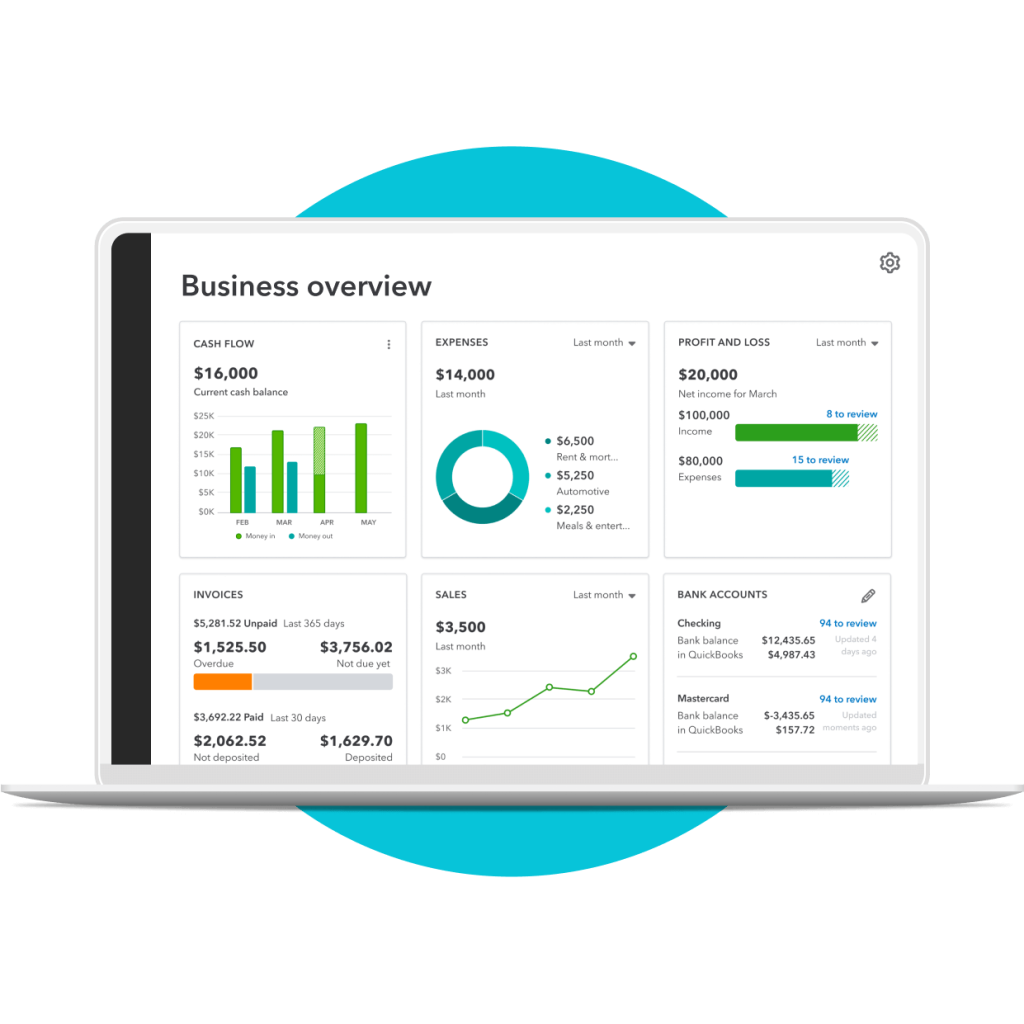
Square offers a user-friendly interface suitable for beginners. Its simple setup and intuitive design make it easy to navigate. QuickBooks, on the other hand, provides a comprehensive interface. It may require a bit of learning for new users. Yet, it offers detailed options for experienced users.
Compatibility And Integration
Square integrates smoothly with e-commerce platforms like Shopify. This allows seamless online transactions. QuickBooks excels in accounting integration. It connects well with various financial tools. This makes it ideal for businesses needing extensive accounting features.
Mobile Payment Options
Square shines in mobile payments. It supports mobile transactions with its easy-to-use app. QuickBooks also offers mobile payment features. Yet, it focuses more on detailed financial tracking. Both provide reliable mobile solutions but cater to different needs.

Credit: envoice.eu
Pricing And Fees
Understanding pricing and fees is crucial for choosing a payment processor. Square and QuickBooks offer different pricing models. Each caters to diverse business needs. Let’s dive into the specifics.
Transaction Fees
Square charges a flat fee of 2.6% + 10¢ per transaction. This applies to in-person payments. Online payments incur a 2.9% + 30¢ fee. QuickBooks, on the other hand, offers different rates. Their transaction fee is 2.4% + 25¢ for swiped payments. For online payments, it’s 2.9% + 25¢. Consider your sales method when choosing.
Monthly Subscription Costs
Square does not charge a monthly fee for basic services. You only pay for transactions. QuickBooks, however, has a different approach. They offer plans with monthly fees. The Simple Start plan costs $25 per month. Higher-tier plans offer additional features. Consider what your business needs. Choose the right plan for your budget.
Additional Charges
Square offers some free features. Yet, premium services come with extra costs. For example, Square’s advanced features like payroll have fees. QuickBooks also has additional charges. Services like payroll and advanced reporting require extra payments. Always check for hidden fees. They can affect your bottom line.
Security And Compliance
Square offers robust security features and easy compliance for payment processing. QuickBooks ensures seamless integration with accounting needs. Each has distinct strengths in safeguarding financial transactions and maintaining compliance standards.
When choosing between Square and QuickBooks for payment processing, security and compliance are crucial considerations. You want to trust that your financial data is in safe hands. Understanding how each platform handles these aspects can help you make an informed decision. Let’s dive into the specifics of how Square and QuickBooks manage data protection and compliance standards.Data Protection
Both Square and QuickBooks take data protection seriously, but they have different approaches. Square uses encryption to safeguard your data during transactions, ensuring that sensitive information is not accessible to unauthorized parties. QuickBooks, on the other hand, not only encrypts data but also offers automatic data backups, providing an extra layer of security. Imagine running a small business and losing all your payment data due to a system crash. QuickBooks’ backup feature ensures that such nightmares remain just that—nightmares. Have you ever considered how much peace of mind that can bring?Compliance Standards
Compliance with industry standards is non-negotiable when dealing with financial transactions. Square is PCI-DSS compliant, which means it adheres to a strict set of guidelines designed to protect card information. This compliance ensures that your business stays within the law while providing a secure payment environment for your customers. QuickBooks is also PCI-DSS compliant but goes a step further by offering compliance support. It provides resources and tools to help your business meet necessary regulations without breaking a sweat. Are you prepared to handle compliance on your own, or would you rather have some help along the way? Both Square and QuickBooks offer robust security and compliance features, but your choice may come down to which platform aligns better with your specific needs. Consider the level of support you require and how much control you want over your data protection and compliance processes. This insight can guide you toward the best payment processing solution for your business.
Credit: cloudfriday.com
Customer Support And Service
In the world of payment processing, customer support plays a vital role. Businesses need reliable support to ensure smooth transactions. Both Square and QuickBooks offer customer service, but they vary in approach and quality.
Availability Of Support
Square provides support through various channels. They offer email, chat, and phone support. Their customer service is available 24/7. QuickBooks also has multiple support options. You can contact them via phone, email, or live chat. However, their phone support is not always available 24/7. Users need to check their specific region’s support hours.
Quality Of Service
Square is known for its responsive customer service. They quickly address user queries and issues. Users often praise their clear and helpful responses. QuickBooks aims to provide quality support as well. They have knowledgeable agents ready to assist. Yet, some users report longer wait times for complex issues. The quality of service can vary based on the complexity of the query.
User Reviews And Feedback
Square and QuickBooks both offer reliable payment processing solutions. Users praise Square’s intuitive interface and seamless card reader integration. Many appreciate QuickBooks for its robust accounting features, though some find its setup more complex. Each platform has unique strengths, catering to different business needs.
When deciding between Square and QuickBooks for payment processing, user reviews and feedback offer valuable insights. Understanding what other users have experienced can guide your decision, especially if you’re comparing ease of use, functionality, and customer service. Let’s dive into what people are saying about both platforms.Common Praise
Square users often highlight its simplicity and user-friendly interface. Many small business owners appreciate how quickly they can set up and start processing payments. The seamless integration with other Square services, such as inventory management, is a frequent highlight. QuickBooks receives accolades for its robust accounting features. Users find the synchronization between payment processing and bookkeeping particularly useful. This efficiency can save you time by reducing the need for manual data entry. Both platforms are praised for their reliability. Transactions are smooth, and support is generally responsive. This reliability can be crucial for maintaining your business’s cash flow.Frequent Complaints
Square users sometimes express frustration with customer service. Some find it challenging to resolve issues quickly, which can be stressful in critical situations. It’s worth considering how important immediate support is for your business operations. QuickBooks users occasionally report that the system can be overwhelming, especially for those not familiar with accounting. There can be a steep learning curve for new users, which might require extra time and patience. Both platforms have transaction fees that some users find steep. If cost is a major consideration, it’s important to weigh these fees against the benefits you gain from each platform. Have you had a particularly positive or negative experience with either Square or QuickBooks? Your insights could help others make an informed choice.
Credit: www.merchantmaverick.com
Business Suitability
Choosing the right payment processor is crucial for your business. You need a system that matches your business size and industry demands. Square and QuickBooks are popular options, but their suitability varies. Let’s explore how they meet different business needs.
Small Business Needs
Small businesses often seek simplicity and affordability. Square offers a straightforward interface and competitive rates. It suits businesses with limited transactions and smaller budgets. QuickBooks provides integrated accounting and invoicing. Ideal for small businesses needing robust financial tracking.
Large Enterprise Requirements
Large enterprises require scalable solutions. QuickBooks excels with advanced financial tools. It supports complex accounting processes and extensive reporting. Square can handle high transaction volumes. But QuickBooks offers more comprehensive enterprise features.
Industry-specific Considerations
Different industries have unique needs. Retail businesses appreciate Square’s easy setup and mobile capabilities. QuickBooks benefits service industries with its detailed accounting and payroll features. Consider your industry requirements when selecting a payment processor.
Frequently Asked Questions
How Much Does Quickbooks Charge For Payment Processing?
QuickBooks charges 2. 9% plus $0. 25 per transaction for credit card payments. ACH bank transfers cost 1% with a $10 maximum fee. Rates can vary based on payment method and volume. For accurate pricing details, consult QuickBooks directly or visit their official website.
What Are The Disadvantages Of Using Quickbooks?
QuickBooks can be expensive for small businesses. It requires regular updates, which might disrupt operations. Users report occasional data corruption issues. The software has limited customization options and might be complex for beginners. Customer support can be slow and costly, impacting timely problem resolution.
Does Square Offer Payment Processing?
Yes, Square offers payment processing services. Businesses can accept credit and debit card payments. Square provides easy-to-use tools for online and in-person transactions. It supports various payment methods, including mobile payments. Square’s platform also includes analytics and reporting features to help manage sales efficiently.
What Are People Replacing Quickbooks With?
People are replacing QuickBooks with alternatives like Xero, FreshBooks, and Zoho Books. Sage and Wave are also popular options. These platforms offer user-friendly interfaces and advanced features, catering to diverse business needs. They provide efficient accounting solutions, ensuring seamless financial management and integration capabilities.
Conclusion
Choosing between Square and QuickBooks depends on your needs. Both offer great payment solutions. Square is user-friendly and quick to set up. It’s ideal for small businesses. QuickBooks integrates well with accounting features. Perfect for those who need detailed reports.
Evaluate your business size and goals. Think about your budget and tech comfort level. Consider customer support and ease of use. Both platforms have their strengths. Decide based on your unique requirements. Making the right choice can boost your business efficiency.
