

Running a small business is no small feat. You’re juggling multiple tasks, managing tight budgets, and striving to meet deadlines.
It can feel like you’re spinning plates, trying to keep everything balanced. What if there was a way to make it all a bit easier? Imagine having tools that help streamline your processes, keep your projects on track, and ensure nothing falls through the cracks.
The right project management tools can be a game-changer for your business. They can save you time, reduce stress, and boost your productivity. You’re about to discover the best project management tools tailored for small businesses like yours. These tools are designed to fit your needs, without the complexities that larger enterprises face. Keep reading to find out which ones could transform the way you work, helping you achieve more with less effort. Your business deserves to thrive, and the right tools can be the secret to unlocking its full potential.
Top Project Management Tools
Finding the right project management tool can be a game-changer for your small business. With the right tool, you can organize tasks, streamline communication, and keep your team on track. But with so many options out there, which one is the best for you?
Trello: Visual Task Management
Trello offers a simple, visual way to manage your projects using boards, lists, and cards. It’s ideal for those who love organizing tasks visually. Think of it as a digital bulletin board where you can easily move tasks around and see progress at a glance.
Small businesses appreciate Trello’s flexibility. You can customize boards to fit your workflow, whether it’s a marketing campaign or product development. The drag-and-drop feature makes it easy to adapt as your project evolves.
Asana: Task Assignment And Tracking
Asana excels at task assignment and tracking. It’s perfect if you need a tool that helps you prioritize tasks and monitor deadlines. You can create tasks, set due dates, and assign them to your team members with just a few clicks.
The timeline feature is a standout. It allows you to plan projects from start to finish, ensuring everyone knows their responsibilities. Have you ever missed a deadline due to miscommunication? Asana aims to eliminate that problem.
Monday.com: Customizable Workflows
Monday.com offers highly customizable workflows that can adapt to any project type. It’s more than just a task manager; it’s a platform that allows you to create a personalized work environment. Whether you prefer lists, boards, or timelines, Monday.com has you covered.
Its automation features can save you time. Imagine freeing up your schedule by automating repetitive tasks. Wouldn’t you rather spend your time on strategic planning instead?
Slack: Communication-centric Management
While Slack is primarily a communication tool, it can be a crucial part of your project management process. It integrates with many other tools, creating a central hub for your project updates and team discussions. Say goodbye to endless email threads and hello to real-time collaboration.
Channels in Slack help you organize conversations by project or topic. Have you ever lost a crucial email in a crowded inbox? Slack’s search function ensures that important messages are just a keyword away.
Clickup: All-in-one Solution
ClickUp aims to be an all-in-one solution, combining task management, document collaboration, and goal setting in one platform. If you’re tired of switching between tools, ClickUp might be your answer. It offers features like task dependencies, time tracking, and goal alignment, all under one roof.
Customization is key with ClickUp. You can tailor views and dashboards to match your team’s workflow. Is your team looking for a centralized tool to manage all aspects of a project? ClickUp could streamline your processes.
Choosing the right project management tool can make a significant difference in your business operations. Consider your team’s needs and the complexity of your projects. What features are must-haves for you? Understanding this will guide you to the perfect tool that enhances productivity and collaboration.
Benefits For Small Businesses
In today’s fast-paced business world, small businesses often find themselves juggling multiple tasks while striving to stay organized and efficient. Project management tools can be a game-changer, offering numerous benefits that streamline operations and enhance productivity. But what makes these tools particularly advantageous for small businesses? Let’s delve into the specific benefits that these tools bring to the table.
Improved Organization
Small businesses thrive on structure, and project management tools provide exactly that. These tools enable you to keep track of various tasks, deadlines, and responsibilities in one central location. Imagine having a clutter-free desk and a clear mind knowing every project detail is neatly organized online.
Enhanced Collaboration
Collaboration is crucial for small teams. Project management tools facilitate communication among team members, ensuring everyone is on the same page. You can share updates, files, and feedback effortlessly, reducing the need for endless email threads. This streamlined communication boosts team morale and efficiency.
Time Management
Time is one of the most valuable resources for small businesses. Project management tools help you prioritize tasks and allocate time effectively. You can set milestones and deadlines, ensuring that projects are completed on schedule. Imagine hitting your targets without the stress of last-minute rushes.
Cost Efficiency
Small businesses often operate on tight budgets. Project management tools can help you manage resources wisely, preventing unnecessary expenditures. By tracking project progress and budgets, you can identify potential savings and avoid costly mistakes. This financial insight helps you make informed decisions that benefit your bottom line.
As your business grows, so do your project management needs. These tools are designed to scale with your business, accommodating more projects and team members without losing efficiency. Think about the ease of expanding your operations with a tool that grows alongside you, maintaining the same level of organization and control.
Have you ever considered how project management tools could transform your business operations? The benefits are not just theoretical; they’re practical and achievable. Take a step towards better organization, collaboration, and efficiency today. With the right tools, your small business can not only survive but thrive in this competitive landscape.
Tool Selection Criteria
Choosing the best project management tools for small businesses involves evaluating ease of use, cost, and scalability. Focus on tools that offer essential features like task management, collaboration, and reporting. Ensure the tool integrates smoothly with existing systems to maximize efficiency and productivity.
Selecting the right project management tool for your small business can be a game-changer. With so many options out there, how do you choose the one that truly fits your needs? It’s not just about picking a popular tool; it’s about finding a solution that aligns with your team’s workflow, budget, and goals. Let’s dive into the essential criteria you should consider.1. Ease Of Use
The tool should be intuitive and easy to navigate. If your team struggles to understand how to use it, productivity will suffer. Look for a platform that offers a clean interface and straightforward functionalities. During a hectic project, do you have the time to train your entire team on complex software? Choose a tool that feels familiar and requires minimal training to get everyone on board quickly.2. Cost-effectiveness
Budget constraints are a reality for small businesses. You need a tool that provides the best value without breaking the bank. Compare different pricing plans and consider what features you truly need. Some tools offer tiered pricing, so you can start with basic features and upgrade as your business grows. Check if there are hidden costs or additional fees that might catch you off guard later.3. Customizability
No two businesses are the same, and your tool should reflect that. Can you customize it to fit your unique processes and requirements? Flexible tools allow you to tweak dashboards, workflows, and reports. Think about your current processes. Will the tool adapt to your needs, or will you need to change your operations to fit the tool? The right choice should seamlessly integrate with your existing systems.4. Integration Capabilities
Your project management tool should work well with other software you already use. Check if it integrates with your email, calendar, and communication apps. This ensures a smooth flow of information and keeps everyone on the same page. Integration can save you time by automating tasks and reducing manual data entry. Does the tool support popular integrations that your team relies on daily?5. Scalability
As your business grows, your needs will change. A good tool should grow with you, offering features that support larger teams and more complex projects. Consider if the tool can handle increased workloads and additional users. You might start with a small team, but as you expand, will the tool accommodate this growth without losing functionality or becoming cumbersome?6. Support And Training
Even the best tools can encounter issues. Reliable customer support can save you when problems arise. Look for tools that offer various support channels like chat, email, or phone. Consider if the tool provides training resources like tutorials and webinars. These can help you and your team make the most of the tool’s features and capabilities. Choosing the right project management tool is a crucial step for your small business. By focusing on these criteria, you can find a tool that not only meets your current needs but also supports your future growth. Are you ready to make the right choice?
Credit: zapier.com
Popular Options
Small businesses thrive with efficient project management tools. The right tool can boost productivity and streamline tasks. Many options fit different needs and budgets. Let’s explore some popular project management tools.
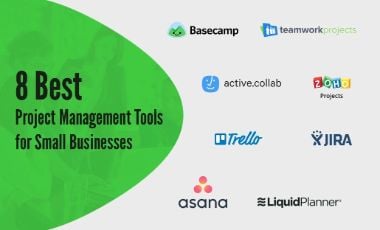
Asana
Asana offers a clear view of all tasks. Its interface is user-friendly. Teams can assign tasks, set deadlines, and track progress. Asana also integrates with various apps, enhancing collaboration.
Trello
Trello uses boards and cards for task management. It’s visual and intuitive. Teams can drag and drop tasks with ease. Trello supports integrations with many other tools, making it versatile.
Monday.com
Monday.com provides a flexible workspace. It allows custom workflows and timelines. Teams can visualize project phases in a few clicks. Monday.com also features automation options to save time.
Basecamp
Basecamp centralizes team communication. It combines chat, to-do lists, and file storage. Its simple design helps teams stay organized. Basecamp’s notification system keeps everyone informed.
Zoho Projects
Zoho Projects includes time tracking and Gantt charts. It’s suitable for various industries. Teams can manage documents and tasks efficiently. Zoho integrates seamlessly with other Zoho products.
Features To Consider
Choosing the right project management tool is crucial for small businesses. These tools help streamline processes, save time, and improve productivity. As you explore options, focus on the features that best match your business needs. Key aspects include user interface, collaboration capabilities, task management, time tracking, and reporting tools. Each feature plays a vital role in enhancing overall efficiency.
User Interface
The user interface should be simple and intuitive. An easy-to-navigate dashboard helps team members find information quickly. Look for customizable layouts to suit your work style. A clutter-free design reduces confusion and speeds up processes.
Collaboration Capabilities
Effective collaboration tools enhance teamwork. Features like chat, file sharing, and comments keep communication seamless. Real-time updates ensure everyone stays informed. Integration with email and calendar apps boosts connectivity.
Task Management
Organizing tasks is essential for productivity. A good tool allows easy creation, assignment, and tracking of tasks. Look for features like deadlines, priority settings, and reminders. Visual task boards help in tracking progress and maintaining focus.
Time Tracking
Accurate time tracking aids in resource management. Tools with built-in timers help record work hours efficiently. Detailed time logs assist in evaluating project costs. This feature improves accountability and billing accuracy.
Reporting Tools
Comprehensive reporting tools provide valuable insights. Look for features that generate detailed project reports. Customizable reports help monitor performance and make informed decisions. Graphs and charts simplify data analysis.
Credit: projectwidgets.com
Cost-effective Solutions
Small businesses often work with tight budgets, making cost-effective solutions crucial. Project management tools help streamline tasks without breaking the bank. These tools offer essential features to enhance productivity. Let’s explore some budget-friendly options that can support your business goals.
Free Plans With Robust Features
Many project management tools offer free plans with essential features. These plans include task management, team collaboration, and basic reporting. They suit small teams who need simple task organization. Look for tools that allow upgrades as your business grows.
Low-cost Subscription Models
Some tools offer affordable monthly subscriptions with extra features. These may include advanced reporting, integrations, and priority support. Small businesses can benefit from these added functionalities. This ensures they get more value without a large financial commitment.
Scalable Options For Growing Businesses
Choose tools that grow with your business needs. Scalable options allow you to add users and features as required. This flexibility helps maintain efficiency without constant tool changes. Start with a basic package, then scale up as projects expand.
User-friendly Interfaces
A simple interface saves time and reduces training costs. Look for tools with intuitive designs. This ensures quick adaptation for your team. User-friendly tools increase productivity, helping your team focus on tasks.
Open-source Alternatives
Consider open-source project management tools. These are often free and customizable. Open-source options provide flexibility for tech-savvy teams. They offer a cost-effective way to manage projects with unique needs.
Integration Capabilities
Integration capabilities in project management tools can be a game-changer for small businesses. Imagine seamlessly connecting your tools and data without needing to switch between countless apps. It not only saves time but also enhances productivity. This is where the right integration features come into play, making your workflow smoother and more efficient.
Integration With Popular Software
Most project management tools today offer integrations with popular software like Google Workspace, Slack, and Microsoft Teams. You can easily sync your calendar, share files, and communicate with your team without leaving the platform. This connectivity ensures that you stay organized and keep everyone on the same page.
Custom Integration Options
Some tools go a step further by offering custom integrations. This means you can tailor the software to fit your specific needs. Maybe you have a unique CRM system or accounting software that you use. Custom integrations let you link these tools directly to your project management platform.
Api Access
API access is crucial for businesses looking to build bespoke solutions. With APIs, you can create custom workflows and automate repetitive tasks. This feature is especially useful if you have tech-savvy team members who can leverage it to streamline processes. Wouldn’t it be great to automate those mundane tasks and focus on what truly matters?
Third-party App Marketplaces
Some project management tools offer third-party app marketplaces. These marketplaces host a variety of apps that can be integrated with your main tool. Whether it’s time-tracking, invoicing, or customer support, you can find specialized apps to enhance your project management experience.
Ease Of Setup
Integration capabilities are only beneficial if they are easy to set up. Look for tools that offer straightforward installation and setup processes. A complicated setup can be a barrier and waste valuable time. As a small business owner, you need solutions that are simple yet powerful.
Choosing a project management tool with robust integration capabilities can transform how you manage projects. It’s not just about finding a tool; it’s about finding one that fits seamlessly into your existing workflow. What integrations would make the biggest impact on your business?
Scalability
Scalability is a crucial factor for small businesses choosing project management tools. As businesses grow, their needs evolve. A scalable tool adapts to these changes smoothly. It allows for increased users, projects, and features. This adaptability ensures efficiency and productivity. Let’s explore how scalability impacts project management tools for small businesses.
Flexibility In User Capacity
Small businesses often start with a small team. As the business grows, the team size may increase. Scalable tools allow easy addition of new users. This ensures the team can collaborate effectively. No need to switch tools when the team expands. This flexibility saves time and resources.
Customizable Features
Scalable project management tools offer customizable features. This means businesses can tailor the tool to their specific needs. As projects become more complex, additional features can be added. This adaptability enhances project efficiency. Businesses can choose features that best suit their evolving requirements.
Integration With Other Tools
Scalable tools often integrate with other software solutions. This integration is vital for small businesses. It allows seamless data transfer between different tools. Integration helps in streamlining workflows. It ensures all business processes work in harmony.
Cost-effective Growth
For small businesses, budget constraints are common. Scalable tools often offer pricing plans that grow with the business. This means businesses pay only for what they need. As the business expands, they can upgrade their plan. This cost-effective approach benefits small businesses greatly.
Efficient Resource Management
Managing resources effectively is key to project success. Scalable tools provide robust resource management capabilities. They allow businesses to allocate resources efficiently. As projects grow, resource needs change. Scalable tools adapt to these changes, ensuring optimal resource use.
Customer Support
Small businesses thrive with the right project management tools. Streamline tasks and boost team efficiency effortlessly. Enhance customer support by organizing projects and tracking progress effectively. Keep your team on the same page with intuitive features that simplify collaboration.
Customer support is a vital aspect of any project management tool, especially for small businesses. When you encounter a problem, having quick and effective help can make all the difference. A tool with robust customer support ensures you can resolve issues swiftly and keep your projects on track.Understanding The Importance Of Customer Support
Customer support is your safety net. Imagine launching a big project only to be stopped by a technical glitch. With strong support, you can get back to work without losing momentum. Having access to knowledgeable support staff can save you time and frustration. It allows you to focus on what truly matters—growing your business.Types Of Customer Support Available
Project management tools often offer various support options. Look for tools that provide 24/7 support, especially if your team works across different time zones. Some tools offer live chat, email, and phone support. Others might have extensive knowledge bases or community forums. Each type serves different needs, so choose what suits your business best.Evaluating The Quality Of Customer Support
Quality support isn’t just about availability—it’s about effectiveness. Test the support services during a trial period. See how quickly they respond and if they resolve your issues satisfactorily. You might want to read reviews from other users. Real-world experiences can give you insight into what to expect.Personal Experience With Customer Support
I once faced a challenge with a project management tool that nearly derailed a major deadline. The swift response from their support team saved the day. They not only fixed the issue but also provided tips to prevent it in the future. This experience taught me the true value of excellent customer support. It’s not just about solving problems but also about empowering users with knowledge.Questions To Ask About Customer Support
Before choosing a tool, consider asking some crucial questions. How quickly do they respond to queries? Do they offer support in your language? Are there additional costs for premium support? These questions can help you determine if the support offered aligns with your business needs.Conclusion: Making Customer Support A Priority
Customer support can be a game-changer for small businesses using project management tools. It’s not just about getting help when things go wrong, but ensuring a smooth and efficient workflow. What kind of customer support does your current tool offer, and how does it impact your business? It might be time to evaluate if it’s meeting your needs.User Reviews
User reviews are crucial when choosing project management tools. They offer real-world insights from users who have experienced the software firsthand. Understanding user feedback helps small businesses make informed decisions. It highlights strengths and weaknesses of different tools.
What Users Love About These Tools
Users appreciate tools that simplify task management. Easy-to-use interfaces are a common favorite. They value tools that keep teams organized without confusion. Integration with other apps is another popular feature. It helps streamline workflow and boosts productivity.
Common Criticisms From Users
Some users find certain tools overwhelming. Too many features can complicate simple tasks. Others mention issues with customer support. Slow responses can frustrate users. Limited customization options is another complaint. Users want flexibility to tailor tools to their needs.
Overall Ratings And Feedback
Most tools receive positive ratings. Users generally find them effective for managing projects. High ratings often correlate with ease of use. Reliable performance also earns praise from users. Feedback highlights the importance of tool reliability for small businesses.
Top Recommendations From Users
Users recommend tools that enhance collaboration. Features like chat and file sharing are essential. They endorse tools with intuitive dashboards. These help visualize progress and manage tasks efficiently. Users value tools that evolve with business growth.
Credit: www.clariontech.com
Frequently Asked Questions
What Is The Best Project Management Tool For Small Business?
Trello is an excellent project management tool for small businesses. It’s user-friendly, flexible, and offers collaboration features. Small teams can easily organize tasks and track progress with Trello’s visual boards. Its free version is robust enough for most small business needs, making it a popular choice.
What Are The 5 C’s Of Project Management?
The 5 C’s of project management are Communication, Collaboration, Commitment, Competence, and Creativity. Effective communication ensures clarity. Collaboration fosters teamwork. Commitment drives project success. Competence ensures skilled execution. Creativity solves problems innovatively. These elements are essential for successful project management.
Does Microsoft Have A Free Project Management Tool?
Microsoft offers Microsoft Planner as a free project management tool for users with a Microsoft 365 subscription. It helps organize tasks and collaborate within teams. Microsoft Teams also integrates with Planner to enhance productivity. Consider exploring these options if you are using Microsoft 365.
Which Project Management Tool Is Best For Beginners?
Trello is ideal for beginners in project management. It offers a user-friendly interface with drag-and-drop features. Trello’s visual boards help manage tasks effectively. Its simplicity makes it accessible for newcomers. The tool supports collaboration, allowing users to share projects easily.
Trello is a great starting point for managing projects efficiently.
Conclusion
Choosing the right project management tool helps small businesses thrive. Tools should match business needs and budget. Simple interfaces make work easy. Collaboration boosts team productivity. Tracking features offer clear progress insights. Cloud-based tools ensure accessibility anytime. Free trials are useful for testing features.
Regular updates keep tools efficient and secure. Customer support aids in troubleshooting issues. Try different tools to find the best fit. Efficient project management drives success and growth. Make informed decisions and watch your business flourish.
