
Are you tired of juggling multiple apps to manage your team’s tasks, files, and communications? Imagine having everything you need in one place, effortlessly boosting your productivity.
Welcome to Edworking, a revolutionary tool designed to simplify your workflow and enhance collaboration. With Edworking, you can say goodbye to the chaos of scattered information and hello to streamlined efficiency. This powerful platform combines task management, real-time communication, and file collaboration, all integrated into a single, user-friendly interface. Curious to know how Edworking can transform your workflow? Discover the exclusive lifetime deal and why it’s a game-changer for freelancers, project managers, and small businesses by checking out our detailed review below. Grab this opportunity before it slips away! Explore the Edworking Tool Lifetime Deal here.

Credit: www.grabltd.com
Introduction To Edworking Tool Lifetime Deal
In today’s digital age, efficient team collaboration is crucial. Edworking offers an innovative solution by merging tasks, files, video calls, chats, and documents into a single platform. This lifetime deal provides access to a comprehensive tool that enhances productivity and streamlines workflows. Perfect for freelancers, project managers, and small businesses.
Overview Of Edworking Tool
Edworking is designed to unify various collaboration needs. It offers a customizable Kanban board for task management. Users can create and assign tasks, receive real-time notifications, and track deadlines. The platform supports real-time chats, HD video calls, and file collaboration, ensuring seamless communication. With its AI capabilities and compliance with GDPR, Edworking is both secure and advanced.
- Customizable Kanban boards for efficient task management.
- Real-time group and private chats for instant communication.
- HD video calls for seamless virtual meetings.
- Integration with G-Suite, Google Calendar, Pabbly Connect, and Zapier.
Purpose And Benefits Of The Lifetime Deal
The lifetime deal for Edworking is structured to offer long-term value. It eliminates the need for multiple apps by providing centralized management of tasks, files, and communications. This boosts team productivity with customizable workflows and real-time tracking. The deal includes several pricing plans, each offering different levels of access and benefits.
| Plan | Price | Features |
|---|---|---|
| Plan 1 | $69 (originally $360) | 1 workspace, 5 member accounts, unlimited tasks, video calls, docs, iOS/Android app. |
| Plan 2 | $138 (originally $720) | 1 workspace, 15 member accounts, unlimited tasks, video calls, docs, iOS/Android app. |
| Plan 3 | $207 (originally $1,080) | 1 workspace, 25 member accounts, unlimited tasks, video calls, docs, iOS/Android app. |
Users can enjoy a 60-day money-back guarantee, providing a risk-free trial period. The lifetime access includes all future updates, ensuring the tool grows with evolving needs.

Credit: www.grabltd.com
Unique Features Of Edworking Tool
Edworking offers a range of features that make it a valuable tool for teams. It centralizes tasks, files, video calls, chats, and documents. This integration enhances productivity and simplifies workflows.
Collaboration Tools For Enhanced Productivity
Edworking improves collaboration with real-time group and private chats. Teams can share files instantly and hold HD video calls within the platform. This keeps everyone connected and informed. The tool also supports instant file collaboration, allowing quick editing and sharing. These features boost team productivity and streamline communication.
Task Management And Tracking
Managing tasks is simple with Edworking’s customizable Kanban board. Users can create tasks quickly and assign them to team members. Real-time notifications ensure that deadlines are never missed. Task prioritization helps teams focus on the most important tasks. Tracking task progress in real-time makes workflow management efficient.
Integration Capabilities With Other Software
Edworking integrates seamlessly with popular tools. It supports API integrations and connects with G-Suite and Google Calendar. Automation is possible through Pabbly Connect and Zapier. These integrations enhance functionality and ensure smooth operations across platforms.
Pricing And Affordability
Discover how Edworking’s lifetime deal offers a budget-friendly solution for teams. This tool combines tasks, files, video calls, chats, and documents. Understanding its pricing can help you make a wise investment.
Cost Breakdown Of The Lifetime Deal
Edworking offers three lifetime plans. The plans cater to different team sizes:
- Plan 1: One-time payment of $69 (originally $360). Includes 1 workspace, 5 member accounts, and unlimited tasks/subtasks.
- Plan 2: One-time payment of $138 (originally $720). Includes 1 workspace, 15 member accounts, and unlimited tasks/subtasks.
- Plan 3: One-time payment of $207 (originally $1,080). Includes 1 workspace, 25 member accounts, and unlimited tasks/subtasks.
Each plan provides access to video calls, spaces, docs, and apps. Users also benefit from 1GB storage per file.
Comparison With Subscription Models
Lifetime deals offer significant savings compared to subscription models. Subscriptions often require monthly or yearly payments. Edworking’s one-time payment eliminates recurring fees. This makes it a cost-effective choice for teams.
The lifetime deal ensures access to future updates. It provides more value over time than ongoing subscription costs.
Long-term Savings And Value
Investing in Edworking’s lifetime deal means long-term savings. Avoid the hassle of periodic payments. Enjoy continuous access to all features. Teams can focus on productivity without worrying about renewals.
With the ability to stack up to 5 codes, users can extend benefits. This provides flexibility and enhances value for larger teams. The 60-day money-back guarantee ensures satisfaction and risk-free investment.
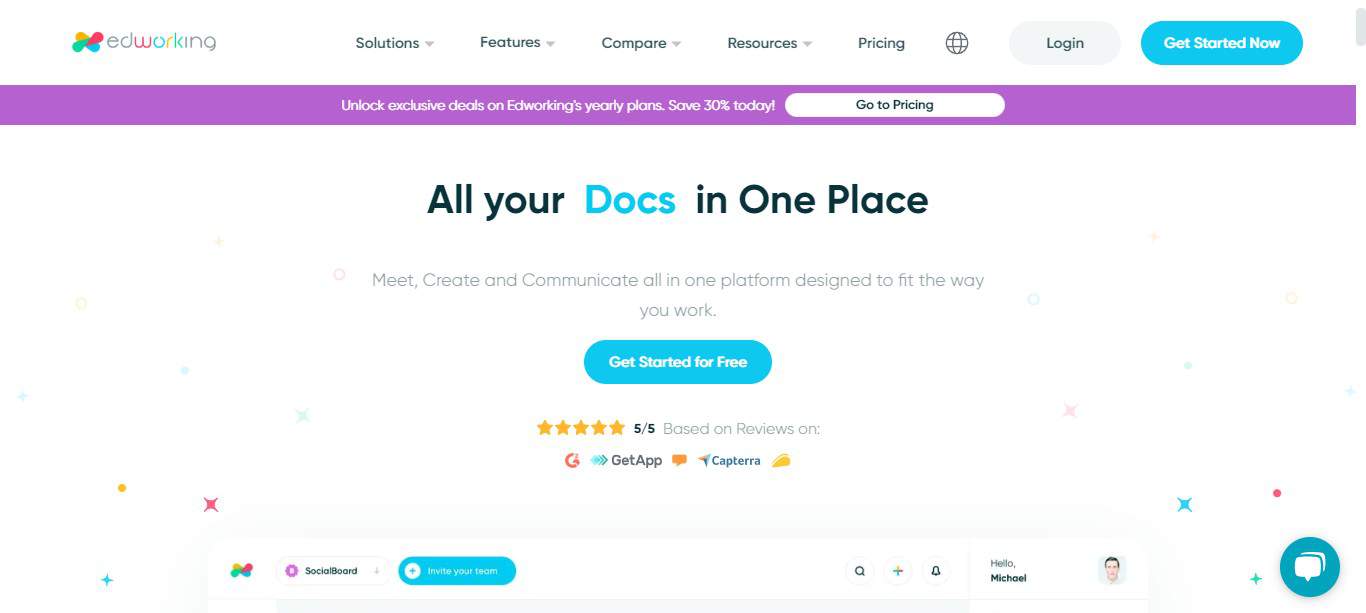
Credit: saaspirate.com
Pros And Cons Based On Real-world Usage
Edworking Tool offers a range of features designed to boost productivity. Like any tool, it has its strengths and weaknesses. Understanding these can help users make informed decisions. Below are the advantages and potential drawbacks based on real-world usage.
Advantages Of Using Edworking Tool
- Centralized Management: Edworking combines tasks, files, and communication in one platform. This reduces the need for multiple apps.
- Enhanced Productivity: With customizable workflows and real-time tracking, teams can manage projects efficiently.
- Integration Capabilities: Supports API, G-Suite, Google Calendar, Pabbly Connect, and Zapier for seamless operations.
- Communication Tools: Offers real-time chats and HD video calls, enhancing team collaboration.
- GDPR Compliance: Ensures data protection and privacy, which is crucial for European businesses.
- Cost-effective Plans: Lifetime access plans starting from $69 make it affordable for small teams.
Potential Drawbacks To Consider
- Limited Storage: Each file has a storage limit of 1GB, which might be restrictive for some users.
- Workspace Limitations: Each plan includes only one workspace, which may not suffice for larger organizations.
- User Count Restrictions: The number of member accounts per plan is capped, potentially limiting team expansion.
- Complexity for Beginners: The platform’s comprehensive features might be overwhelming for users new to collaboration tools.
Evaluating these pros and cons can guide users in determining if Edworking Tool aligns with their needs.
Specific Recommendations For Ideal Users
Edworking is a versatile tool designed to enhance productivity and streamline collaboration. Knowing the specific users who will benefit most can help tailor its usage for optimal results. Below are some insights into who should consider using Edworking and in what scenarios it thrives.
Best Scenarios For Utilizing Edworking Tool
Edworking excels in environments where multiple tasks and communications need integration. The customizable Kanban board allows for quick task creation, making it perfect for teams juggling various projects. Real-time notifications ensure no task is overlooked, essential for deadline-driven projects.
HD video calls and real-time chats make Edworking suitable for remote teams needing seamless communication. For teams working with large files or needing constant updates, Edworking’s instant file collaboration stands out as a key feature.
Target Audience Who Will Benefit Most
Freelancers who manage multiple clients will find Edworking’s centralized system invaluable. It replaces the need for numerous apps, consolidating all work into one platform. Project managers benefit from its task prioritization and tracking capabilities, ensuring projects are completed efficiently.
Small businesses can utilize Edworking to coordinate tasks and communications across team members. The integration with tools like Google Calendar and Zapier further enhances its appeal to teams needing synchronized workflows. With GDPR compliance, Edworking is also suitable for businesses focused on data protection.
| Plan | Payment | Workspace | Member Accounts |
|---|---|---|---|
| Plan 1 | $69 | 1 | 5 |
| Plan 2 | $138 | 1 | 15 |
| Plan 3 | $207 | 1 | 25 |
Each plan offers unlimited tasks and subtasks, video calls, and more, making Edworking a cost-effective choice for various team sizes.
Frequently Asked Questions
What Is Edworking Tool Lifetime Deal?
The Edworking Tool Lifetime Deal offers users a one-time payment for lifetime access. It’s designed for professionals seeking cost-effective solutions. This deal eliminates recurring subscription fees, providing long-term savings. Ideal for educators and businesses, it ensures access to essential features without ongoing costs.
How Does Edworking Tool Benefit Educators?
Edworking Tool streamlines classroom management and enhances student engagement. It offers interactive features like quizzes and real-time feedback. Educators can easily track student progress and personalize learning experiences. This tool simplifies administrative tasks, freeing up more time for teaching. Its user-friendly interface makes it accessible for all educators.
Is Edworking Tool Suitable For Small Businesses?
Yes, Edworking Tool is perfect for small businesses. It offers collaborative features that enhance team productivity. With its lifetime deal, businesses save on recurring costs. The tool supports project management, communication, and file sharing. Its intuitive design ensures easy adoption by teams, improving workflow efficiency.
Can I Customize Edworking Tool Features?
Edworking Tool allows customization to fit specific needs. Users can tailor settings and features according to their preferences. This flexibility ensures the tool adapts to diverse tasks and objectives. Customization enhances user experience and maximizes functionality. It’s suitable for both individual users and larger teams.
Conclusion
Edworking offers a unified platform for seamless team collaboration. It combines tasks, files, video calls, chats, and documents in one place. This integration boosts productivity and simplifies workflows. Ideal for freelancers, project managers, and small businesses. The lifetime deal provides excellent value. Access to a comprehensive suite of tools at a one-time price. This deal is a smart choice for enhancing team efficiency. Try Edworking today. Experience streamlined project management and improved collaboration. Grab the Edworking Lifetime Deal and elevate your team’s productivity.
